Robotgressklippere

Smart. Kraftig. Selvstendig.

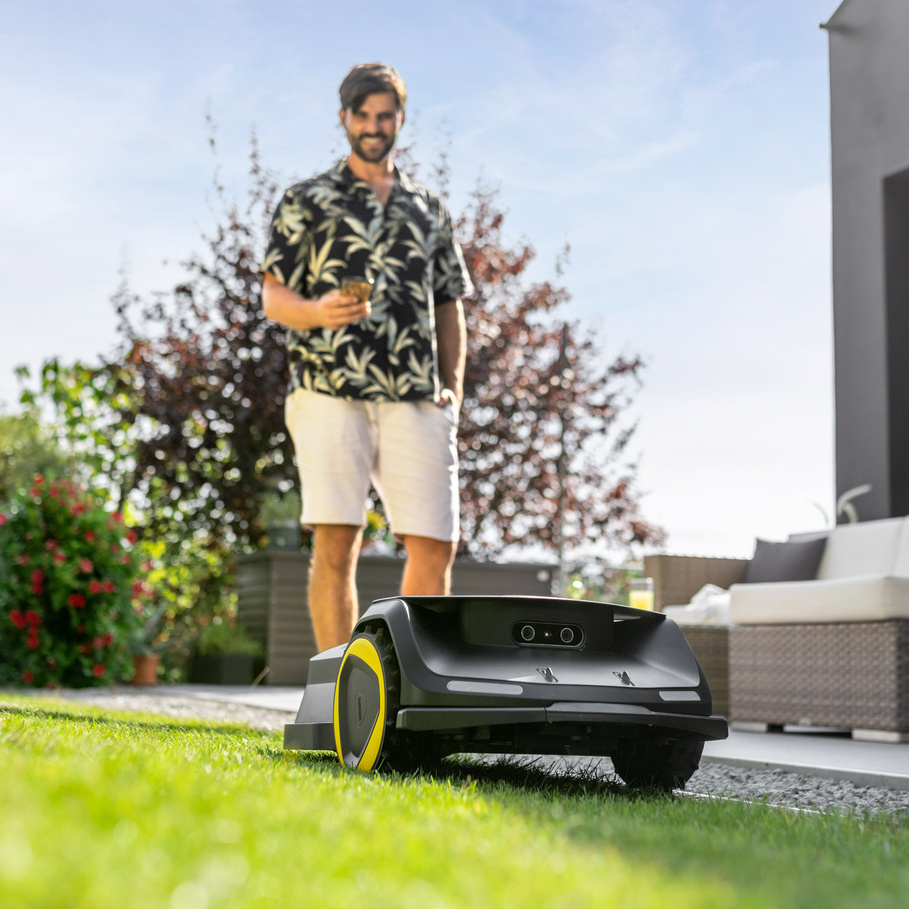
Våre robotgressklippere i RCX-serien er smarte assistenter for en perfekt velstelt plen.
De er raske og enkle å sette opp med RTK-antenne, og takket være intelligent navigasjon beveger de seg fint gjennom hagen. Klipperne jobber presist, håndterer hellinger uten problemer og tar vare på plenen samtidig.

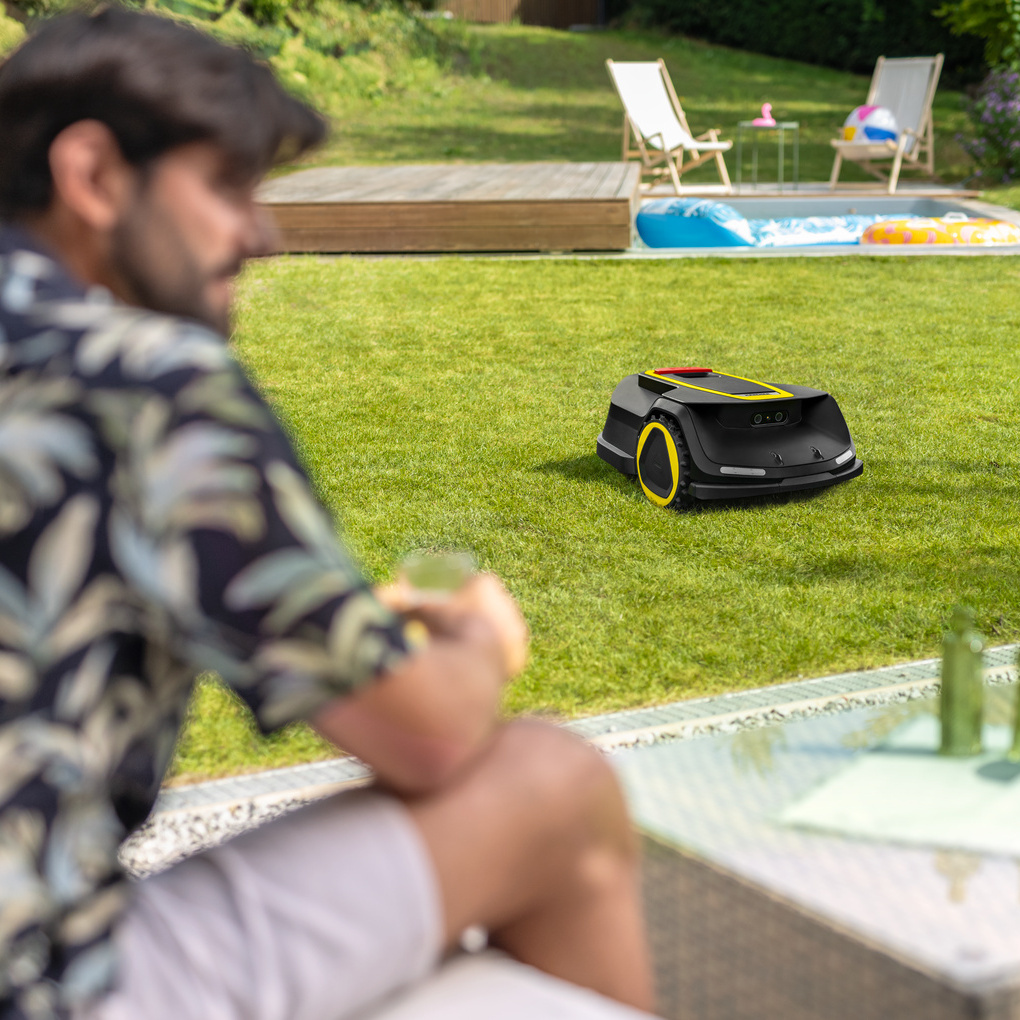
Nyt fritiden din mens RCX sørger for en plettfri plen, helt automatisk. Med intuitiv betjening og en praktisk app har du full kontroll – uansett hvor du er, når som helst.

Len deg tilbake, slapp av og nyt en perfekt klippet plen!

Den intelligente robotgressklipperen RCX 6 gjør jobben for deg – helt uten grensekabel.
Utstyrt med GPS, RTK-antenne og AI-kamera navigerer den presist og effektivt, selv på store områder opptil 3 000 m². Med appen kan du enkelt tilpasse klippehøyden mellom 2 og 10 cm, akkurat slik du ønsker.

RCX 6 oppdager og unngår hindringer på en smart måte, beskytter kjæledyr og håndterer stigninger på opptil 70 % takket være drift på alle hjul. Du kan definere individuelle soner og no-go-områder, og justere både tidsplan, kjøremønster og mye mer direkte i appen.

Opplev en ny standard for komfort med RCX 6!
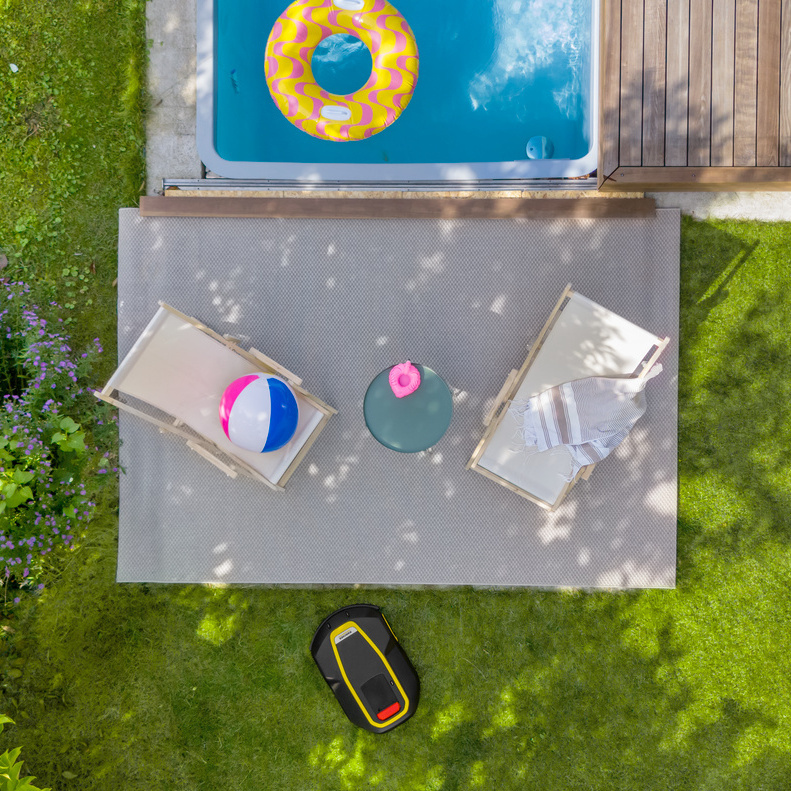
Høydepunkter

Plenklipp med struktur

Kärcher RCX klipper ikke bare plenen, den følger et intelligent system.
Den beveger seg jevnt over området, spor for spor, og etterlater et godt klipperesultat. Du har full kontroll: bestem selv hvor mye sporene skal overlappe for å optimalisere effektiviteten i klippeprosessen. Eller velg alternative mønstre som sjakkbrett eller diagonale linjer for å unngå synlige merker.

Med Kärchers robotgressklipper får du et feilfritt resultat, helt tilpasset dine ønsker.
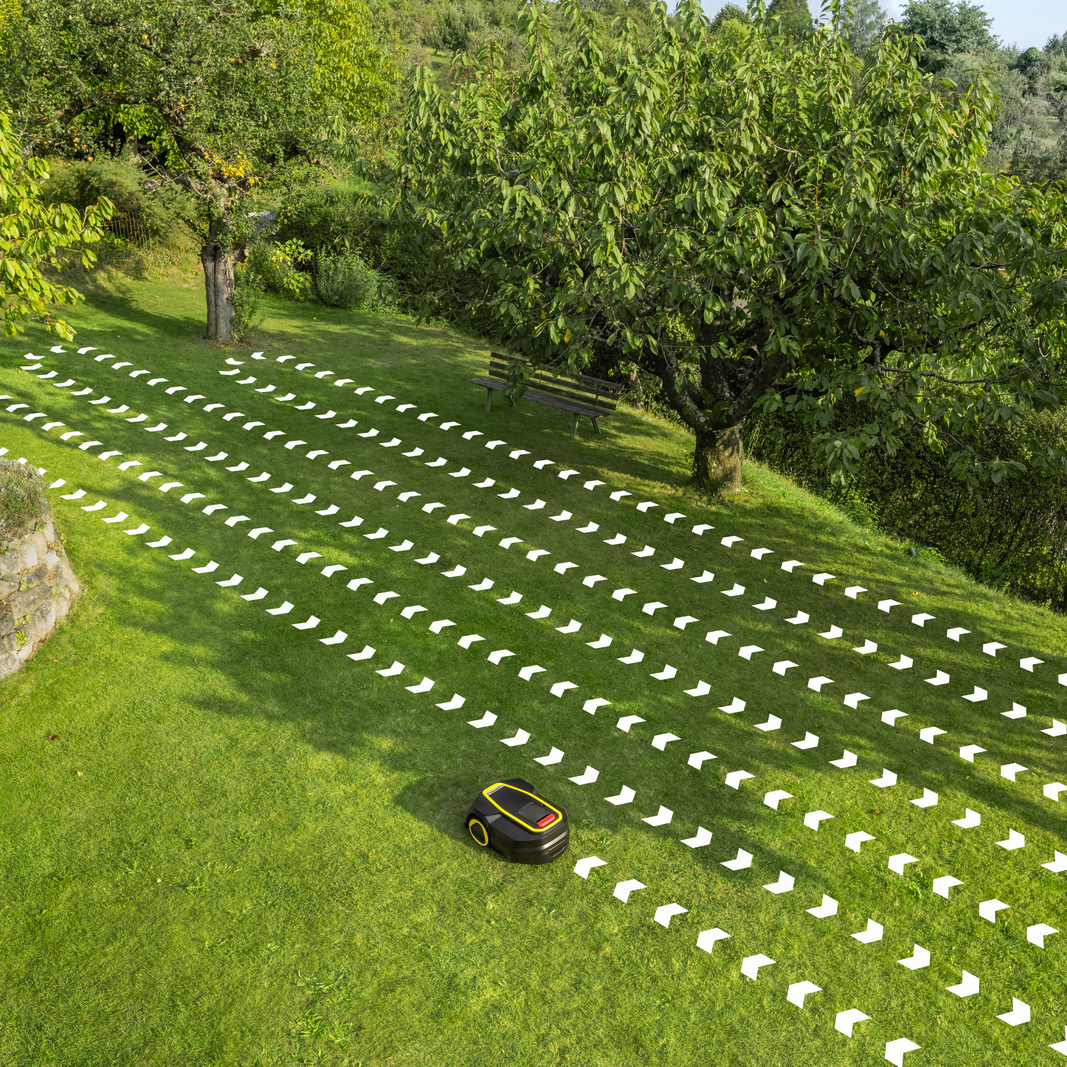
Kärcher robotic lawn mowers systematic mowing

Presis navigasjon

Robotgressklipperen vet nøyaktig hvor den befinner seg i hagen, helt ned til centimeteren - takket være GPS og en kraftig langdistanse RTK-antenne.
Presis navigasjon er sikret selv over flere hundre meter og med objekter imellom. Ingenting står lenger i veien for et perfekt klipperesultat.
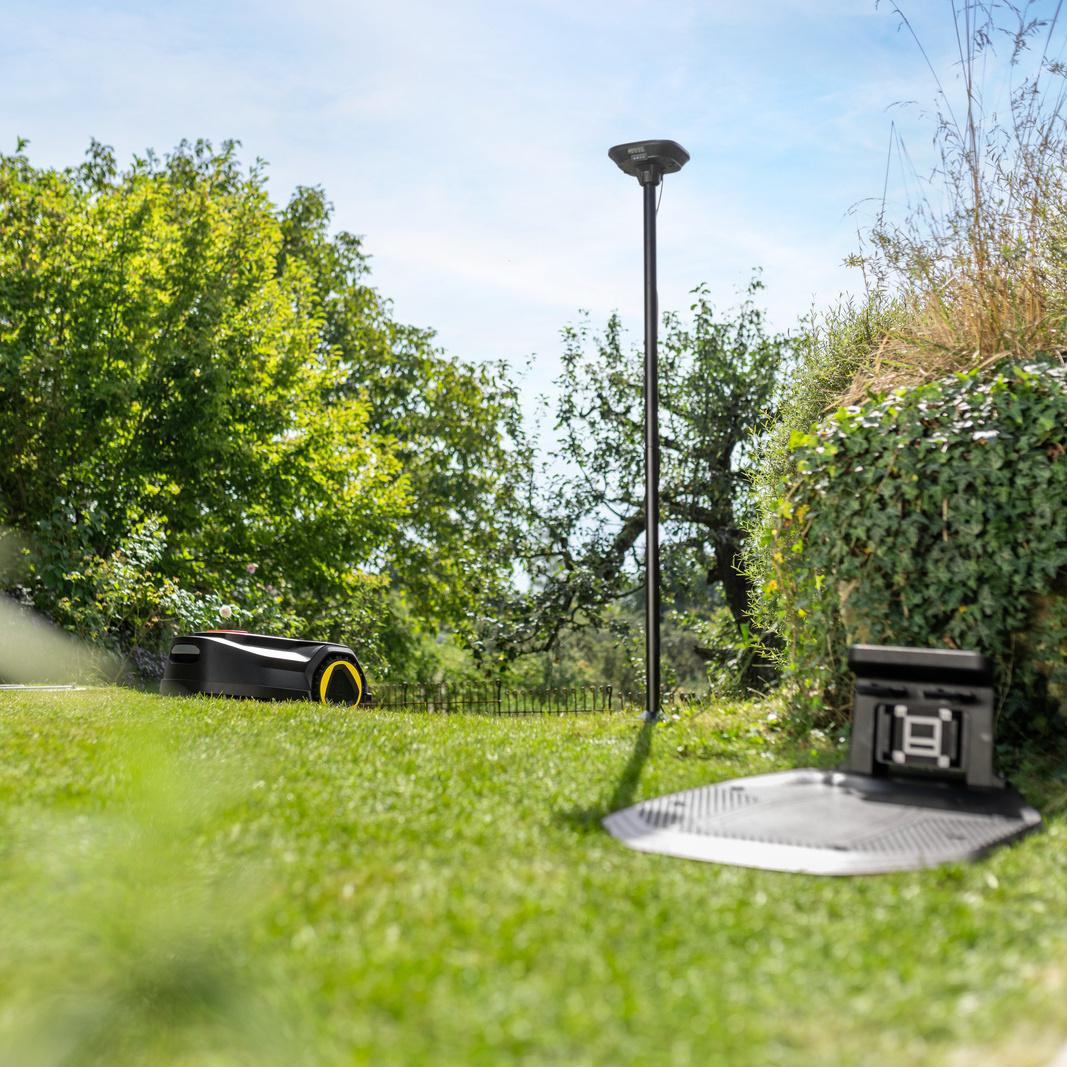
Precise navigation for perfect mowing results

Overlegen fremdrift

RCX takler stigninger på opptil 70 % takket være drift på alle hjulene.
Dette gjør at klipperen enkelt når alle områder av plenen og klipper presist – selv i krevende terreng. Samtidig skåner hjuldriften plenen ved å forhindre slitasje når den snur.
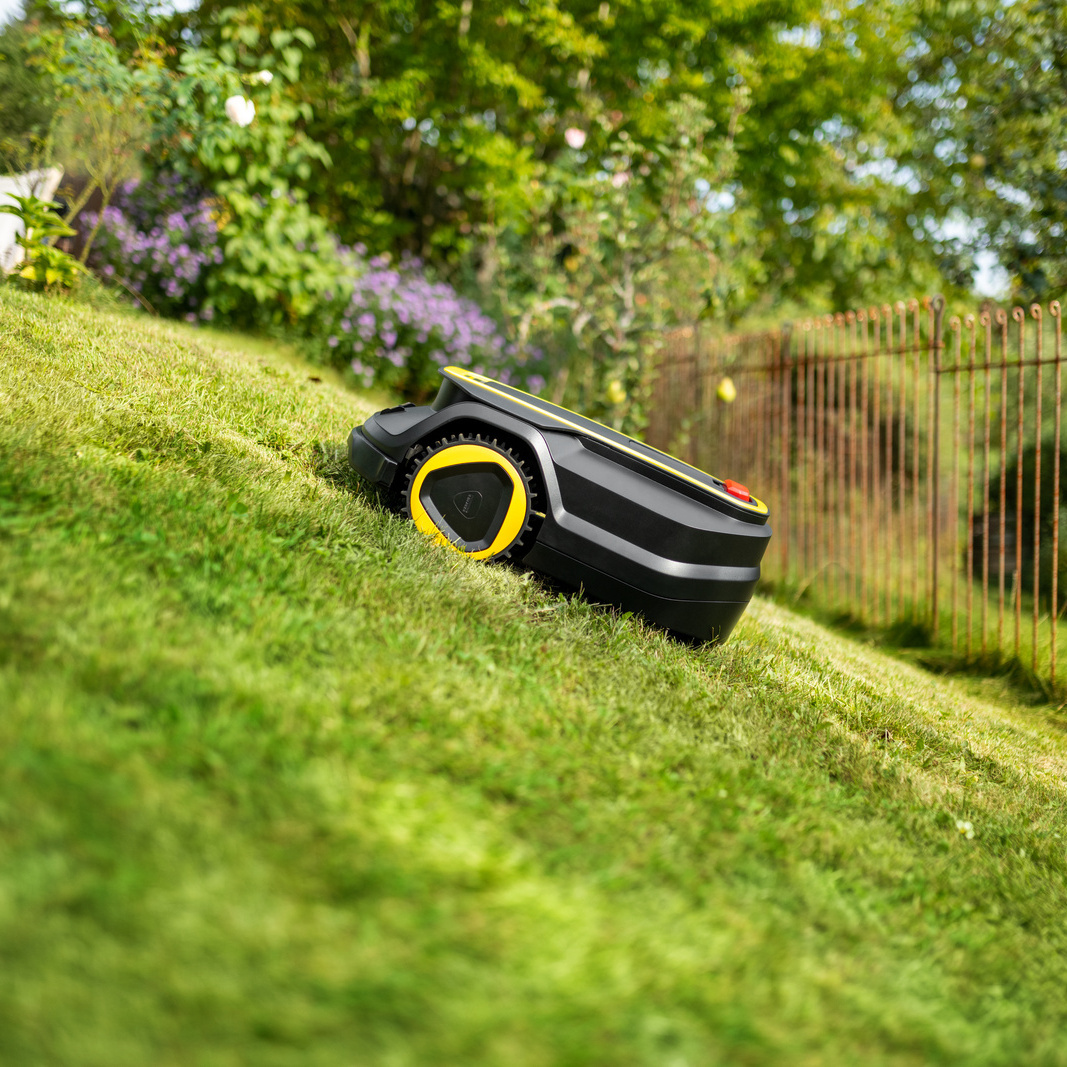
Kärcher robotic lawn mowers tackle the incline

Intelligent kamerateknologi med AI

RCX robotgressklipper navigerer trygt og pålitelig gjennom hagen ved hjelp av kunstig intelligens (AI). Kameraet gjenkjenner ulike hindringer og underlag, og tar de riktige beslutningene selv i komplekse hageområder. AI hjelper deg også under installasjonen: plasser bare RCX på plenen, så registrerer kameraet yttergrensene i hagen din.

Grensekabel er ikke lenger nødvendig – enklere blir det ikke!
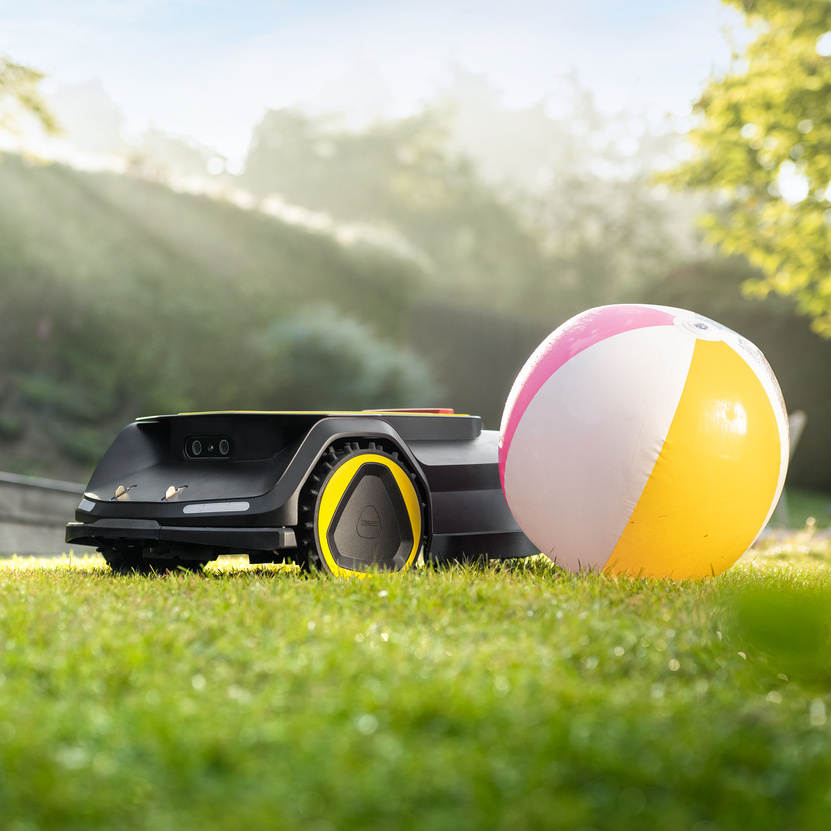
Kärcher robotic lawn mowers with intelligent camera


Alt du trenger i én app

Via WLAN og Bluetooth kan du enkelt koble RCX til smarttelefonen din med Outdoor Robots-appen. Her får du tilgang til en rekke smarte funksjoner samt eksperttips. Kärcher Outdoor Robots-appen er nøkkelen til en enkel og praktisk oppsett av RCX-robotgressklipperen din.

Appen er helt nødvendig for installasjonen og guider deg steg for steg gjennom prosessen. Last ned appen, koble til RCX – og du er i gang!
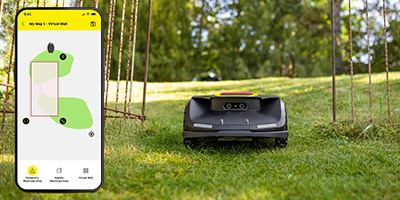
Kärcher robotic lawn mowers creating a map

Lag et kart

Med Kärcher RCX lager du et kart over hagen din på et øyeblikk.
Styr RCX enkelt via appen og marker yttergrensene mens roboten oppretter kartet. Alternativt kan RCX bruke kameraet sitt til å registrere plenen og generere kartet helt på egen hånd.
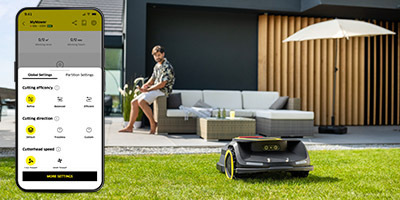
Kärcher robotic lawn mowers for optimal mowing

Optimalt klippemønster for plenen din

Tilpass klippingen helt etter dine ønsker og behov.
Bestem selv hvor mye klippesporet skal overlappe, juster klippehøyde og retning, eller aktiver kantklipping. Du kan også enkelt tilpasse regnpausen etter eget ønske.
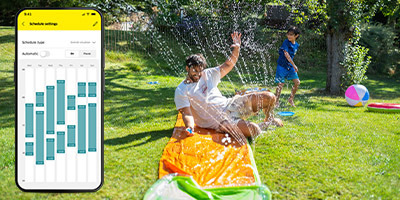
Kärcher robotic lawn mowers set mowing times

Tilpasset din kalender

Bestem klippetidene for Kärcher RCX slik det passer deg.
Sett faste tidspunkter eller tilpass dem individuelt. Med opptil to tidsvinduer per dag klipper RCX plenen når det passer deg best.
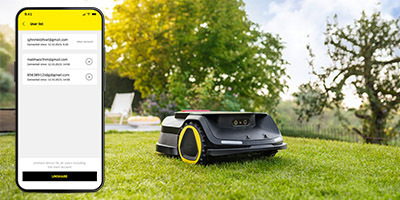
RCX common use

Enkel deling mellom brukere

I appen kan du dele robotgressklipperen med andre.
For eksempel kan hvert familiemedlem styre RCX og tilpasse innstillingene etter eget ønske.
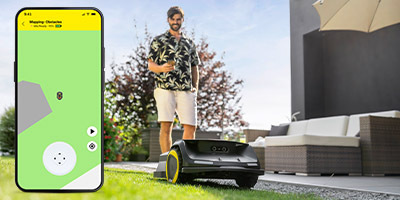
Kärcher robotic lawn mowers with remote control

Enkel fjernstyring

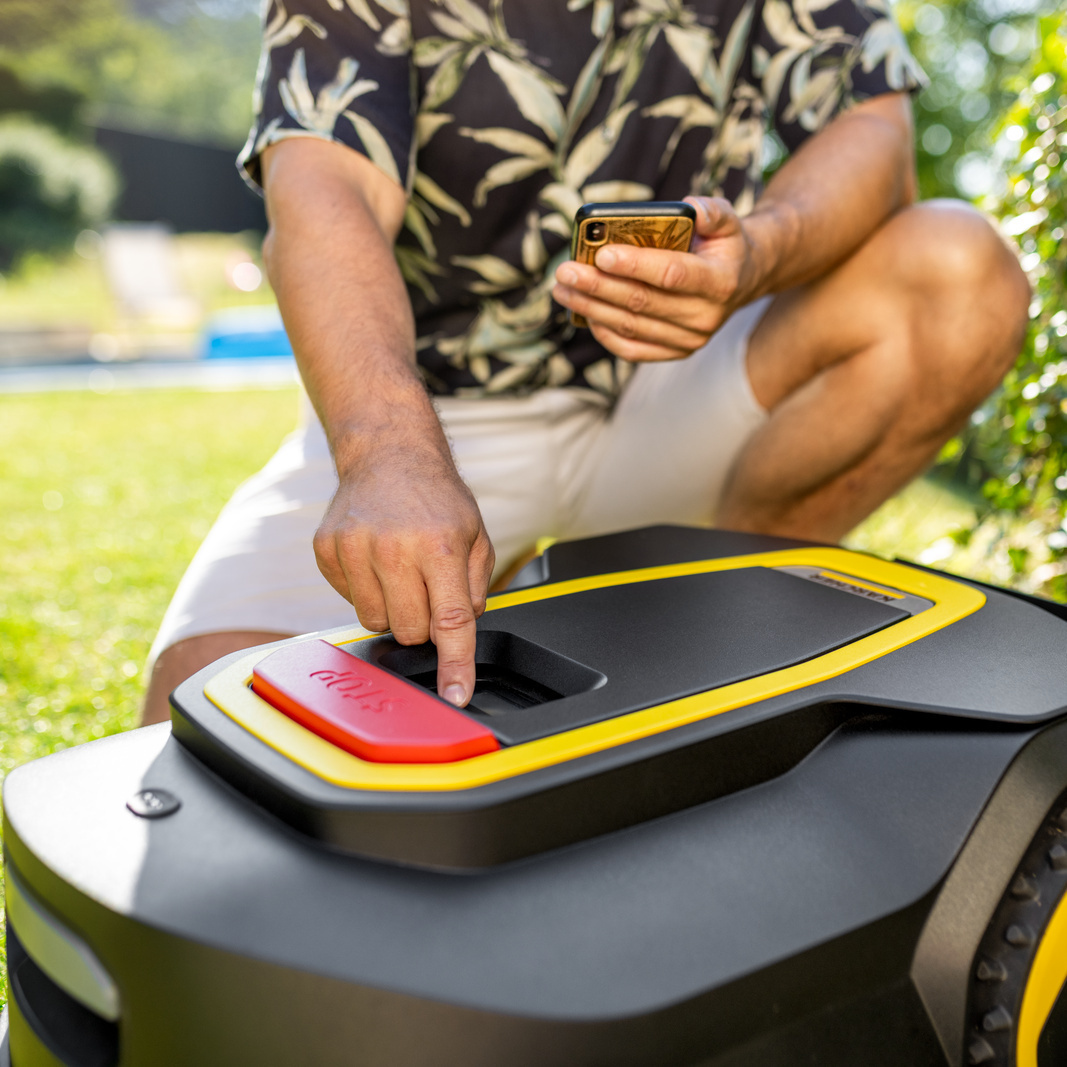
Gjør smarttelefonen din om til en fjernkontroll for plenen!
Med Kärcher RCX kan du enkelt styre robotgressklipperen manuelt og klippe utvalgte områder.


FAQs RCX robotic lawn mowers

Installation

You can easily install the robotic lawn mower yourself. Simply follow the instructions in the enclosed installation guide and in the app, where you are guided through the process step by step. Depending on the size and shape of the lawn and experience, the process may take roughly 1 to 3 hours.

In the app you can create several mowing zones, which can be individually set and adjusted. For example, with the RCX 6 you can mow the lawn to 2 cm at the front of the house and to 4 cm at the back of the house.

As long as the mowing zones are connected by a path without any obstacles, such as flat stone tiles, you can create a passageway in the app for the RCX robotic lawn mower, which it then only uses when it changes between the zones.

As a standard for robotic lawn mowers, the maximum area is defined according to the product specifications such as cutting height and battery run time (RCX 4 = 1500 m²; RCX 6 = 3000 m²). Our robotic lawn mowers provide the flexibility of +10% area, which you can map in the app.

For lawns greater than 3,000 m², two or more robotic lawn mowers can be used simultaneously. They can be managed in the app via the same account.

Thanks to its all-wheel drive, the RCX 6 tackles inclines up to 70% (35°).

A garage for the robotic lawn mower is not absolutely necessary, but is recommended, as it protects the robotic lawn mower against extreme weather conditions. It can extend the lifetime and battery of the robotic lawn mower. We recommend using our Kärcher robotic lawn mower garage (Order No. 2.269-703.0).

The RCX robotic lawn mower can detect and avoid obstacles using an AI camera and crash sensor. In addition, sensitive objects/obstacles such as open flowerbeds or pools can be mapped in the app in order to exclude them from mowing, or a no-go zone or a virtual wall can be created, which the robot does not pass through.

Owing to its size, the large wheels and the all-wheel drive, the RCX robotic lawn mower is perfect for uneven lawn areas. Problems might only occur with deep holes where the robotic lawn mower could get stuck.

Yes, the robotic lawn mower also passes through narrow passageways of 80 cm in width.

The most important aspect when installing the RTK antenna is an unobstructed view of the sky. A clear 100° overhead view must be guaranteed to establish a stable connection with GPS satellites. The antenna can therefore not be positioned under canopies, between high walls or under trees. Visual contact is recommended, however is not necessary, for the connection of the RTK antenna and robotic lawn mower; this signal can also be transmitted through obstacles and buildings.

In order to have greater flexibility when erecting the RTK antenna, the Kärcher RCX wall bracket (Order No. 2.269-701.0), clamp mounting (Order No. 2.269-701.0) or the extension cable (Order No. 2.269-704.0) can be ordered.


Without the installation of a RTK antenna, the RCX robotic lawn mower cannot navigate precisely. It is thus necessary for operation.

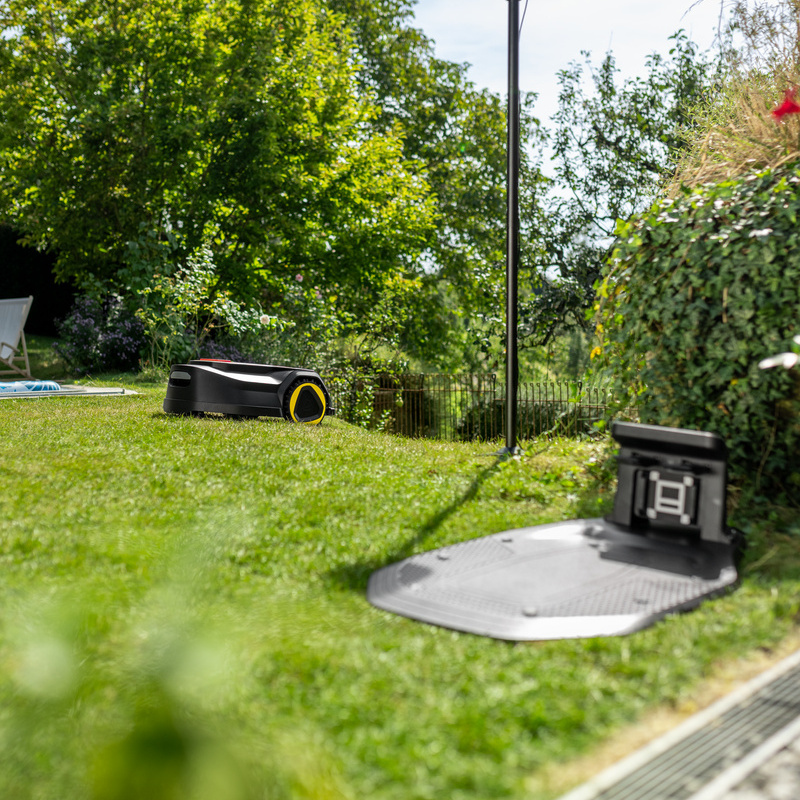
The charging station can be placed on the lawn, but also beside it, as long as the robotic lawn mower has access to the lawn. A route from the charging station to the lawn can be programmed using the app. The extension cable can be used for a more flexible setup further away from a power source (Order No. 2.269-704.0).

Given that the charging station also serves as a reference point of the robotic lawn mower to the position signal, the robotic lawn mower in the charging station should also have a clear view of the sky.

The safety distance between the casing and the blades prevent the robotic lawn mower from mowing completely up to the edge. Depending on the conditions of the work area and the installation, a lawn trimmer may be required for edge trimming. Alternatively, edging stones can be used on which the robotic lawn mower can move so that the robotic lawn mower can mow as far as the edge of the lawn.

So that the robotic lawn mower and the RTK antenna can be connected to the WLAN router, the WLAN router must support the 2.4 GHz band, a connection over 5 GHz is not possible.

For correct operation, make sure to use a current router and carry out the necessary updates.

Operation

The grass cuttings of the robotic lawn mower remain as mulch on the lawn, as the robotic lawn mower does not have a grass catcher. The finely cut grass falls between the blades of grass and serves as a natural fertiliser which protects the lawn from drying out and keeps it lush and green. The grass cuttings must therefore not be raked or discarded.

Branches and fallen fruit should be picked up from the lawn regularly as they can cause the blades of the robotic lawn mower to wear faster. Leaves do not damage the robotic lawn mower itself, but can affect the mowing process and blunt the blades faster. The leaves are not mulched by the robotic lawn mower and still have to be raked.

Thanks to the AI camera, our RCX robotic lawn mowers have a function to avoid objects. It detects objects on the lawn and triggers the robotic lawn mower to turn in order to avoid them. However, it is recommended to keep the lawn free of objects in order to avoid damaging the object and the blades of the device. Remove all small items from the lawn before putting the RCX robotic lawn mower into operation.

The frequency at which the robotic lawn mower should mow depends on individual circumstances, such as weather conditions, soil properties and lawn types. The user can adapt the robotic lawn mower to the specific needs of their lawn use, which can be set and adjusted in the app or on the robot's display.

The lawn must be mowed at least once a week. However, it is recommended to do this more often in order to keep the grass cuttings short and ensure healthy growth.

The robotic lawn mower can mow both in parallel strips and in alternating patterns. The direction in which it marks the strips can be calculated by the robot itself or defined by the user in the app. 

The robotic lawn mower can mow in the rain, but it is not recommended due to soiling of the robotic lawn mower and to protect the wet lawn. The robotic lawn mower should be stored in a garage during hail and storms.

If the rain sensor is activated, the robotic lawn mower takes a break and only starts again when the rain sensor is dry and then the set interval time has lapsed.

Mowing at night is possible, but is not recommended due to the risk of nocturnal pets and the impaired camera function in the dark.

As the RCX robotic lawn mowers are very quiet, mowing during the midday break is generally allowed. In Germany there is no legally prescribed midday break, and mowing using electric lawn mowers is generally permitted between 7 am and 8 pm. More precise information can be found in the appropriate local regulations.

Although the robotic lawn mower has safety devices, such as automatic blade deactivation during lifting or tipping, and a safety distance between the casing and blades, there is still the risk of cuts. Therefore, it is recommended to not use the robotic lawn mower if there are children or pets on the lawn.

The battery run time depends on the conditions of the lawn, such as the type of lawn, lawn density or inclines. The average specifications can be found on the datasheet.

The robotic lawn mower automatically travels to the charging station when the battery is empty. When it is charged, the robotic lawn mower continues mowing from where it had stopped.

The cutting height of the RCX 6 robotic lawn mower can be set between 2 and 10 cm via the app or on the display. With the RCX 4 model, the cutting height is set manually at the device and is between 2 and 6 cm.

The mowing blades should be replaced every 1 to 2 months, depending on factors such as the lawn area, the soil properties, the grass type and the weather conditions. If the cut is no longer good or the blades are damaged, they should be replaced without delay. You can replace the blades yourself. Instructions can be found in the user guide. Spare blades are available separately (Order No. 2.269-701.0).

Our robotic lawn mowers are protected against theft through various safety measures. Each robotic lawn mower has a PIN prompt which is required for operation. The robotic lawn mowers are also linked to a user account and cannot be transferred to another account without the approval of the previous owner.

You can also purchase the Kärcher LTE/GPS module (available soon), which will allow you to locate the robotic lawn mower using your smartphone.

Grass and dirt must be removed from the robotic lawn mower regularly using a brush. With frequent mowing in the rain, damp grass should also be removed after mowing to minimise wear. A water hose is used for cleaning. The use of a point jet and pressure washer are prohibited. Wheels and blade discs must be cleaned thoroughly in order to avoid blockages.

Yes, the robotic lawn mower should be stored indoors during winter when it is not in use. Before storage, it must be fully charged, cleaned and dried. The charging station should also be stored indoors during winter. 

If you need support or assistance, please contact your local Kärcher dealer about the winter service.

Contact our Customer Support who will help you to reset the PIN code of the robotic lawn mower.

The robotic lawn mower can be switched on in two different ways:

  • By placing it in the connected charging station.
  • By pressing and holding down the ON/OFF button on the device for 3 seconds.
    The device is switched off again when the ON/OFF button is pressed and held down again for 3 seconds.

The RCX robotic lawn mower can be controlled directly using the digital joystick in the app. This makes it possible to map the mowing areas, but mowing can also be carried out by direct control.

Like every IoT device, the RCX robotic lawn mower requires regular software updates in order to receive new functions and enhancements.

The updates are made available free of charge through the app and installed via WLAN. Follow the instructions in the app or request the latest firmware version for robotic lawn mowers and RTK antenna in the Options menu.

App

The Kärcher Outdoor Robots app is used for operating the RCX robotic lawn mower. It is not possible to operate the RCX via the Kärcher Indoor Robots app or the Kärcher Home & Garden app.

The app is required for the installation of the robotic lawn mower. It is recommended but not absolutely necessary for subsequent use, as the robotic lawn mower works autonomously and can be controlled via the control panel on the device. All RCX robotic lawn mower models can be integrated in the Kärcher Outdoor Robots app, and several robotic lawn mowers can be added to an account.

Several individuals can share an app account and use it on different smartphones.

A robotic lawn mower can be shared with another account using the "Share" function in the app.

Several RCX robotic lawn mowers can be included in one account.

To change your password in the app, go to User Settings → App Settings → Change Password. Enter your old and new password and confirm the change.

There are two options for deleting/removing connections from a RCX robotic lawn mower:

  • Delete individual connection: in the app under "More Settings" you can remove the connection to your account or in the "User List" you can delete the connection to another user account.
  • Delete all connections: via the display on the robotic lawn mower, under "Menu" → "Settings" → "Reset", you can set the robot to factory settings and thus delete all connections, or in the app under "Advanced Settings" you can set the robot to factory settings.

Tip: all existing connections should be deleted upon sale or purchase of a used RCX robotic lawn mower.

If you have forgotten your password for the app, click on "Forgot password" in the login area and enter the email address linked to your account. You will then receive a link to reset your password by email.